Screenshots and images, ready for wherever they’re going.

ScreenLasso lives in your Mac’s menu bar. Capture an area, mark it up, and save it at the exact size and format each site wants, without a trip through an image editor.

Coming soon to the Mac App StoreFor macOS 14 Sonoma and later

Drag anywhere here to make a selection.

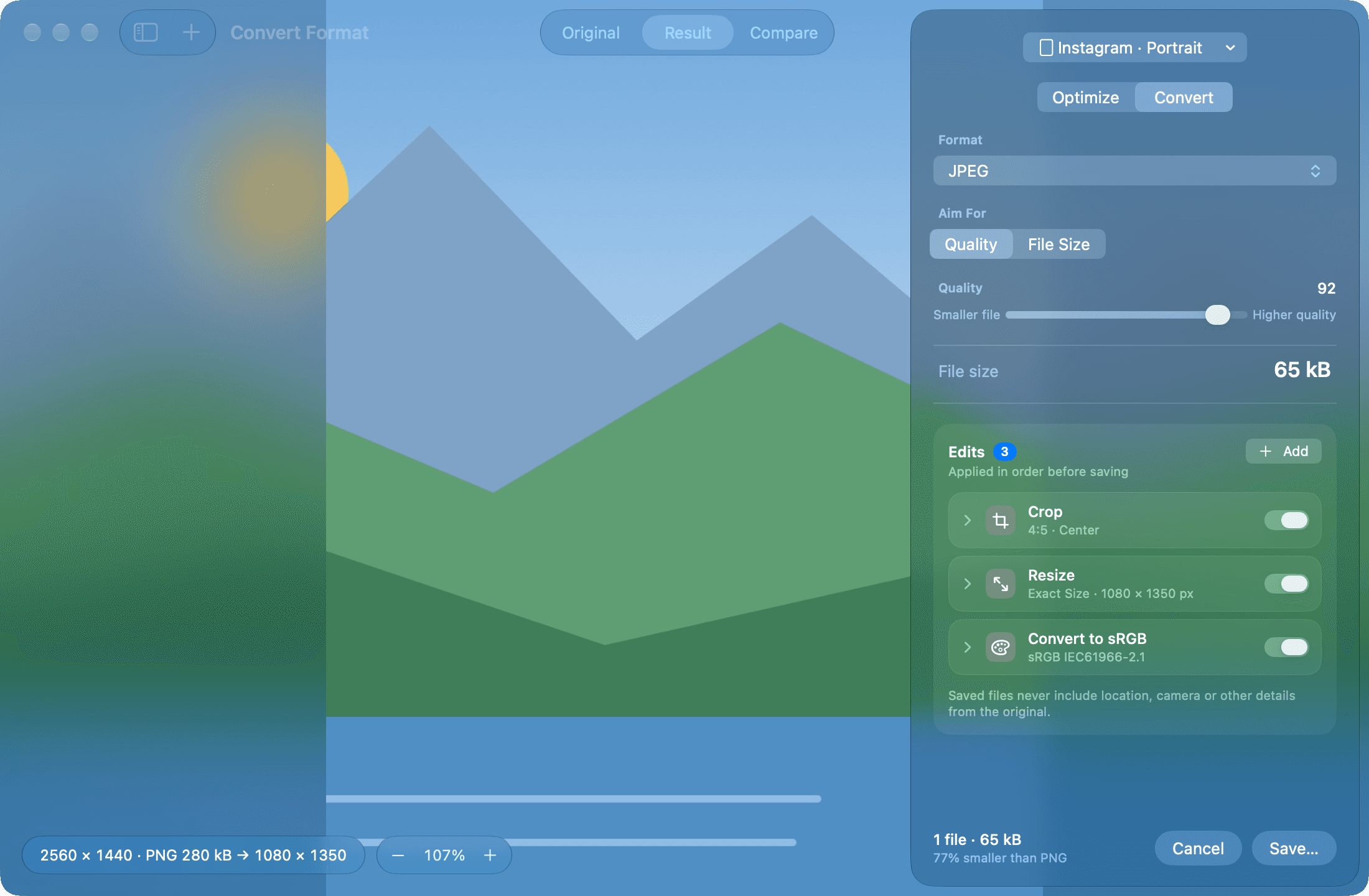
ScreenLasso’s Convert window: a landscape image cropped to 4:5 and resized to 1080 × 1350 with the Instagram portrait preset, saved as a 65 kB JPEG.

Capture and mark up

Press a shortcut, drag over what matters, and it’s on the clipboard or in your folder. Before it goes, add arrows, lines, boxes, a highlighter, text, or pixelate what nobody should see.

  • Area or full screen, with your own shortcuts
  • Pen, line, arrow, rectangle, highlighter, text and pixelate
  • A thumbnail to drag straight into a message
Optimize and convert

Drop in a screenshot, a photo or a whole folder. Choose what it’s for and ScreenLasso crops, resizes and encodes it, then shows you the result next to the original before anything is saved.

  • WebP, AVIF, JPEG, PNG and HEIC, by quality or by a target file size
  • Edits in order: crop, resize, watermark, logo, border, colors, sharpen, remove background, hide faces and text
  • Choose which metadata stays, and see when an image says it was made with AI
  • Videos and animations to MP4, MOV, GIF and animated WebP

Pick and check colors

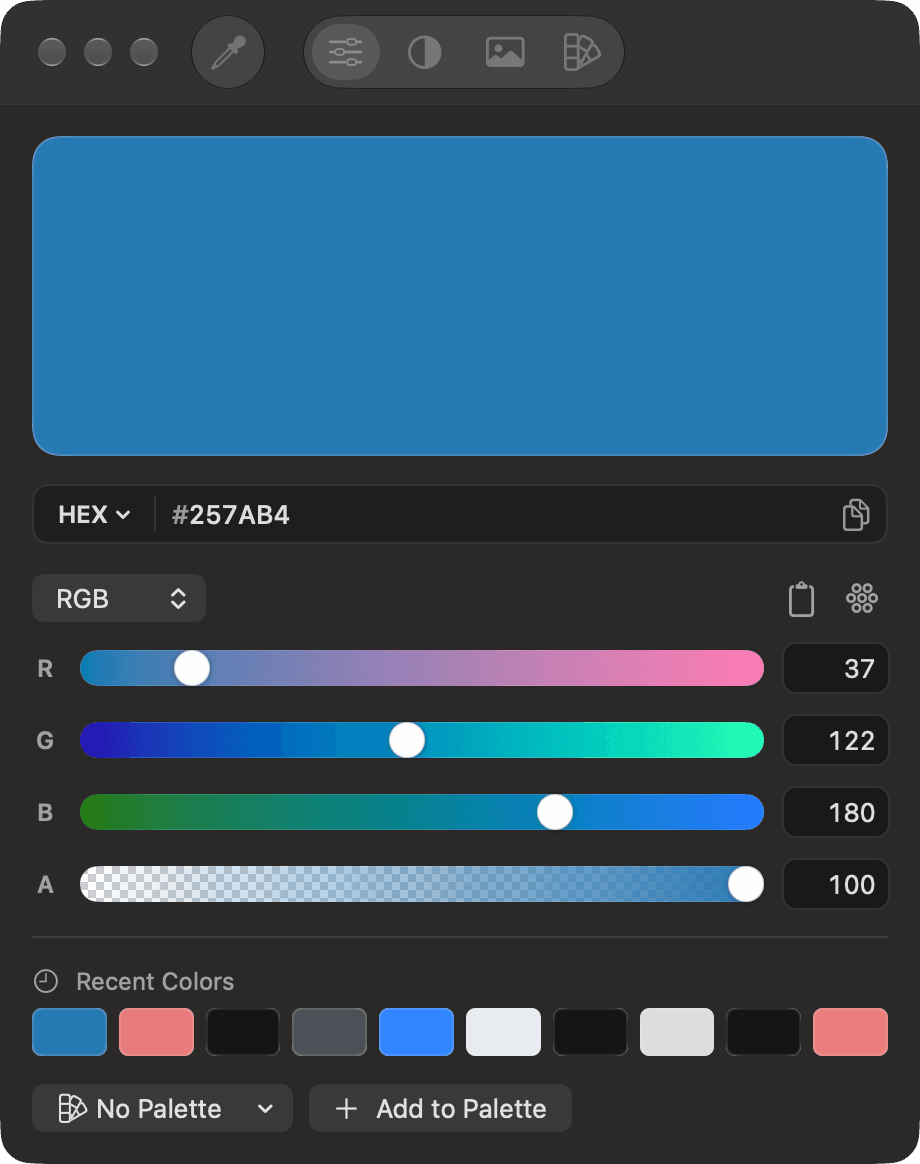
A magnifier picks any pixel on screen. Copy it as HEX, RGB, HSL, OKLCH, CMYK, or as code for SwiftUI, CSS, Tailwind and Android, check its contrast against WCAG, and pull a palette out of any image.

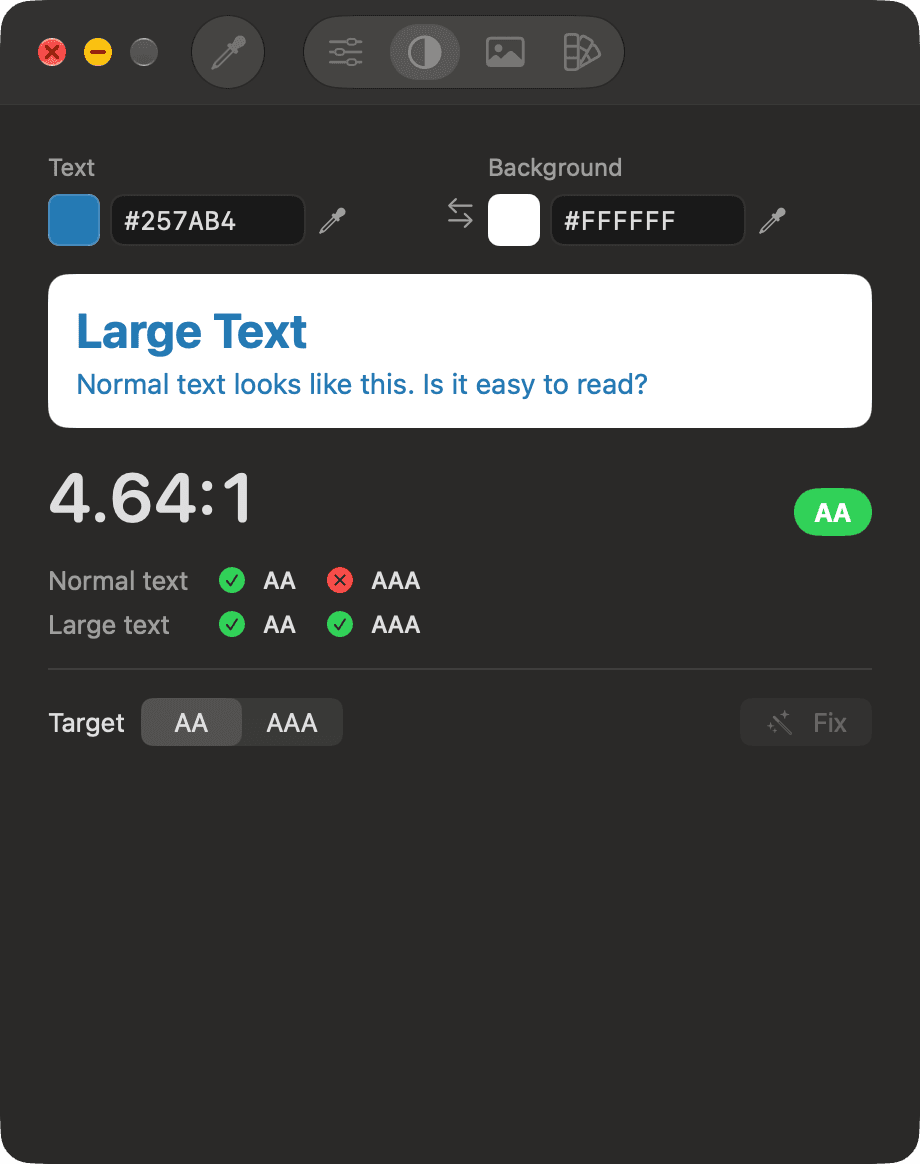
  • Contrast for AA and AAA, with the closest color that passes
  • Harmonies, shades and tints
  • Palettes you can keep and export
ScreenLasso’s color panel with a blue picked from the screen, shown as HEX and RGB, and recent colors below.The contrast tab: #257AB4 on white is 4.64:1, passing AA.

Read QR codes on screen

Point at a QR code in a video call, a slide or a web page. ScreenLasso reads it, opens the link if you want, and shows Wi-Fi names and passwords so you can join without typing.

The exact size each platform wants

Platforms recompress images that don’t match their sizes, and the quality is what goes. ScreenLasso’s presets crop and resize to the size each one shows, in sRGB, so what you upload is what people see.

PlatformSize in pixels
Instagram portrait1080 × 1350
Instagram profile grid1080 × 1440
Instagram square1080 × 1080
Stories, Reels and TikTok1080 × 1920
Facebook2048 longest side
X1600 × 900
LinkedIn1080 × 1350
Pinterest1000 × 1500
YouTube thumbnail1920 × 1080 under 2 MB
Link preview1200 × 630

Let your AI agents use it

Turn it on in Settings and AI apps on your Mac can use ScreenLasso as a tool: prepare images for a post, mark up a screenshot with numbered steps, check a color’s contrast or convert a folder. It’s off until you turn it on, only apps on this Mac with your key can connect, and the images never leave your Mac.

Set up in one click for Claude Desktop, Claude Code, Codex, Cursor and VS Code, or any app that supports MCP.

Agents can also ask you for a screenshot or a color from your screen. That’s a separate setting, ScreenLasso asks you every time, and you choose what to send.

Get the plugin for Claude and Codex

  • Get these product photos ready for an Instagram carousel.
  • Add numbered arrows to this screenshot for the setup guide.
  • Does this gray pass WCAG on white? If not, what’s the closest that does?
  • Convert every PNG in the Assets folder to WebP for the website.

No account. No tracking. Nothing to upload.

ScreenLasso does everything on your Mac. It doesn’t collect analytics, doesn’t ask you to sign in, and doesn’t send your captures or images anywhere.

Read the privacy policy